
Challenge Objectives and Rewards
Challenge cards pair an objective with Shells and XP rewards. The challenges below include dive counts, entry results, points, backflips, named combos, and perfect launches. Reward amounts apply to their respective cards; check your current card for its XP payout, since XP amounts can differ between challenge sets.
Match your dives to the objective. A clean-entry task calls for the Clean Entry result, while the Daily entry-type task asks for Head first, Feet first, and Belly flop. For that task, a Belly flop is part of the objective. The backflip task tracks backflips, and the daily dive-count task requires dives completed today.
Some objectives require a specific result rather than more attempts:
| Objective | What counts |
|---|---|
| Score 20,000 in one dive | Reach 20,000 points in a single dive. Adding scores from separate dives does not complete this target. |
| LAND 5 DIFFERENT NAMED COMBOS | Land five distinct named combos. Repeating the same combo does not add another name. |
| Achieve 3 perfect launches | Achieve perfect takeoffs; a successful water entry alone does not satisfy the launch requirement. |
| 3 Feet First Entries | Finish with the Feet first result. Clean Entry is a different result. |
Shells can pay for attribute upgrades, while XP advances your character level. See Shells and XP for more on those resources.
Claim Completed Challenges
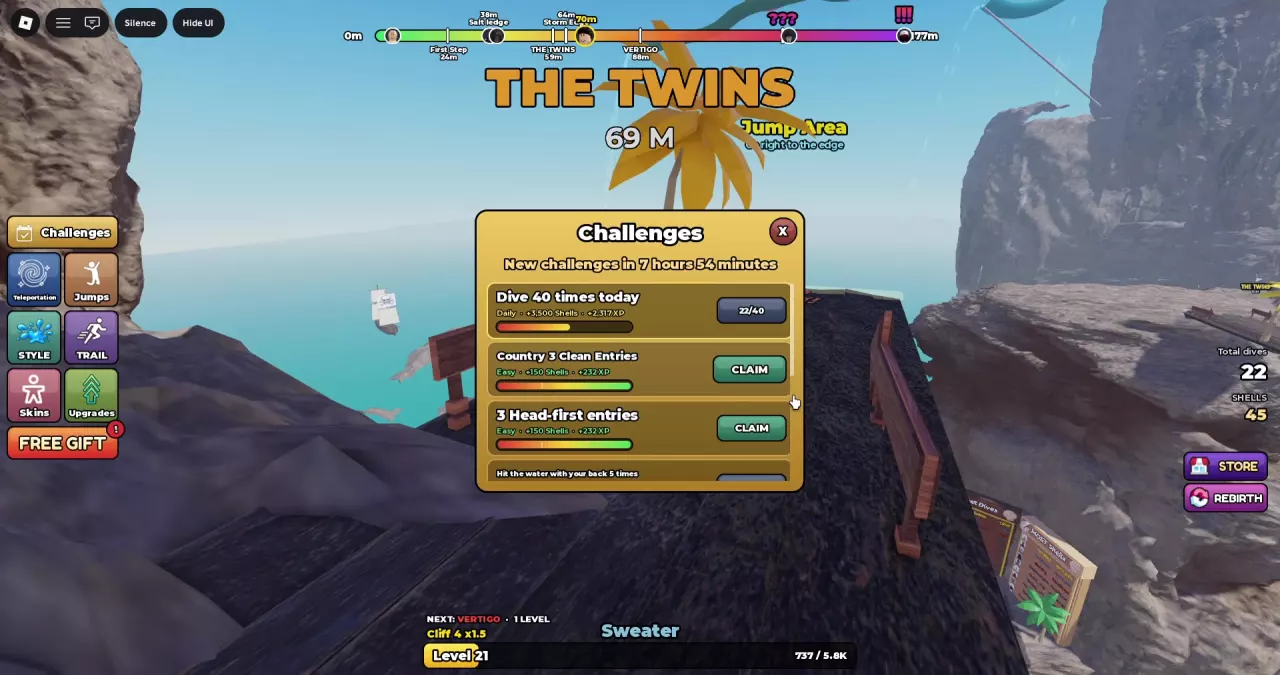
- Click Challenges on the left side of the game screen.
- Check each card’s objective and progress. If it is incomplete, continue working toward the target, then return to the menu.
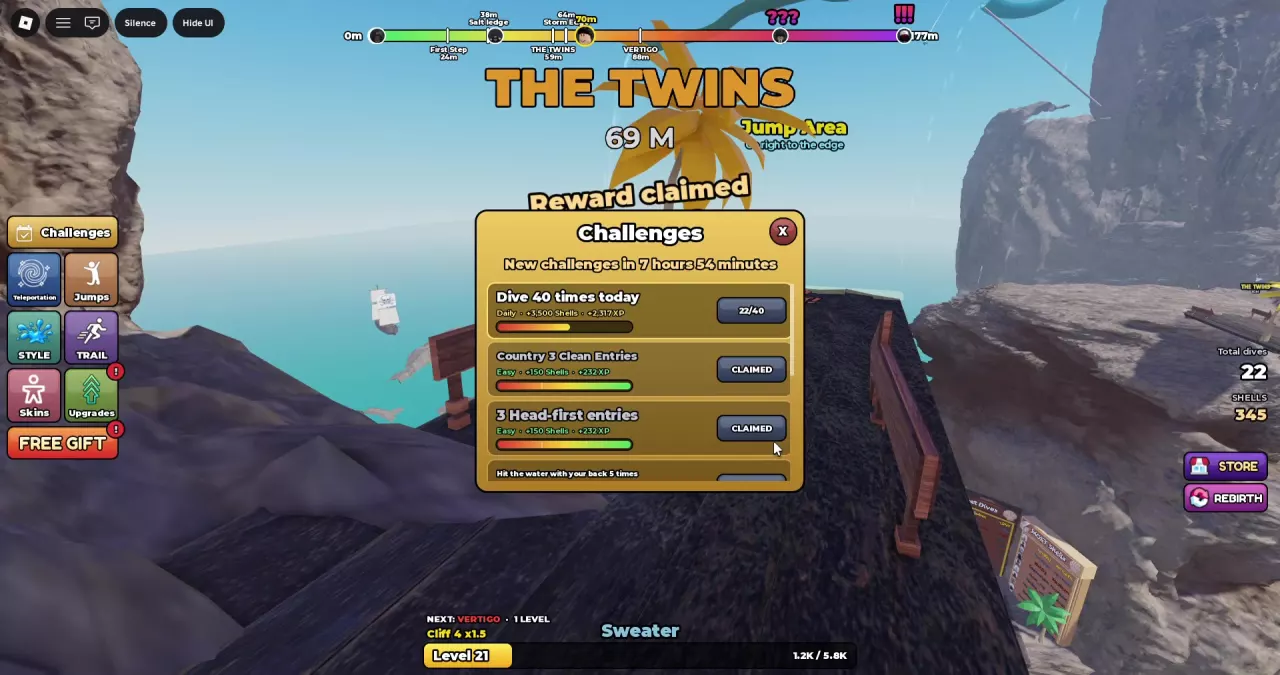
- Click CLAIM beside a completed task to receive its listed Shells and XP.
- Check that the button changes to CLAIMED, then claim any other completed tasks individually.
Completing a task makes its reward available to collect. A full progress bar and a CLAIM button mean there is still a reward waiting; CLAIMED means you have already collected it.
Daily Refresh and Progress
New challenges arrive daily. Read New challenges in… at the top of the menu for the time remaining until the next refresh. The hours and minutes shown are a countdown, not the length of a separate challenge cycle.
Progress counters show how much of an objective you have completed against its target. For example, 22/40 on Dive 40 times today means 22 dives count toward that day’s 40-dive target; the task is still incomplete. 0/10 on Perform 10 backflips means no backflips have counted toward that task yet. These are examples of how to read the counters, not starting values for every player.
Choose what to practice based on the unfinished card:
- Dive count: Repeat the takeoff-to-entry sequence and check the daily counter as you go.
- Entry results: Check the result label after impact, then check the challenge counter. For 3 Feet First Entries, look for Feet first; Clean Entry does not replace it. Use the entry and scoring guide to interpret results, or the entry moves guide to compare Jumps → ENTRY choices and their descent prompts.
- Backflips: Work on the required move using the jumps and combos guide, then check the task’s progress.
- Points: Read whether the card requires a single dive. For Score 20,000 in one dive, check the finished score breakdown for that attempt rather than adding scores across attempts. The scoring guide explains how tricks and entry results affect the dive score.
- Named combos: Practice different named combinations using the jumps and combos guide and higher-score practice guide. Check the challenge counter as you land different combos; repeating one name does not satisfy the variety requirement.
- Perfect launches: Practice timing Jump with the takeoff power bar and watch the launch rating for PERFECT!, then check the challenge counter. The takeoff guide explains the starting controls. Successful entry happens later in the dive and is a separate goal.