Find Swim Trunks, Trails, and Splash Styles
Use the directory’s search to find an item by name or alias. To choose by appearance, browse the images and effect descriptions; appearance descriptions are not included in name searches.
- Filter splash styles by rarity to narrow the selection.
- Sort by level requirement, Shells price, or Robux price to compare the route you want to use. Each currency is sorted separately, and entries without a value appear last.
- Search and filters work together. Sorting reorders only the matching results; Reset clears search, filters, and sorting.
- Use More details, where available, to reach an item’s additional information.
The default order is a browsing order, not a ranking or a recommended unlock path.
Understand Unlocks and Purchase Options
Read the acquisition condition alongside the price. Some cards list a level requirement alongside a Robux purchase button; check both labels when choosing an item.
| What the in-game card shows | How to use it |
|---|---|
| A level requirement and a Robux button | Read the listed level requirement and the Robux price as separate details on the card. |
| ROBUX ONLY | Obtain the item through its Robux purchase option. |
| Both Shells and Robux prices | Choose either currency; these are alternative prices, not a combined cost. |
| EQUIPMENT | The item is available to equip on your account. |
| EQUIPPED | The item is currently selected. This label is not an unlock requirement or a price. |
For a level-based unlock or a Shells purchase, see how to earn Shells and XP. An available or equipped item does not automatically mean it is free for every account.
Open Skins → Trunks (also labeled Swim trunks), find Poison drinks, and select its FREE GIFT button. The FREE GIFT panel provides a separate reward route: join the group and favorite the game, then select Verify and claim! See the Free Gift instructions and rewards for that process.
Change Your Outfit
The initial Choose your style screen offers Swim trunks or Bikini. That choice can be changed later through Skins.
- Open Skins on the left side of the screen.
- Choose Trunks (also labeled Swim trunks), Bikinis, or Wetsuits, then scroll to browse. To wear your Roblox outfit, select My Avatar instead.
- Click EQUIPMENT on an available choice. The selected item changes to EQUIPPED.
- Close the menu with the upper-right X.
You can switch directly between available outfits without repeating the initial style selection.
Equip a Trail or Splash Style
Trails control the effect behind your character in the air. Open TRAIL on the left, find an available choice, and select EQUIPMENT. EQUIPPED identifies the current trail. Select No trail to disable the effect.
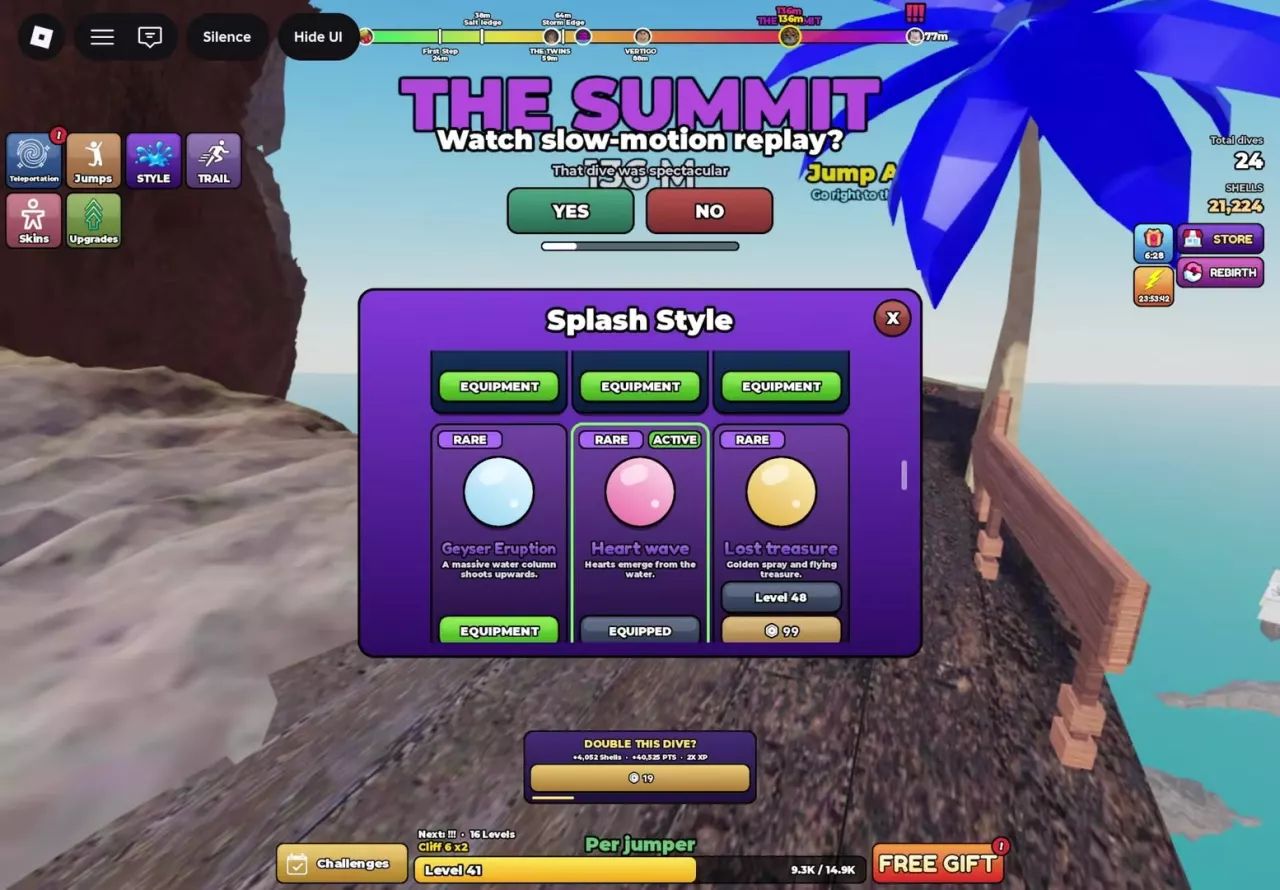
Splash Style controls the visual effect when you enter the water:
- Open STYLE on the left to access Splash Style.
- Scroll through the effect cards. Check the level requirement or purchase option if the effect is locked.
- Click EQUIPMENT on an available effect. Your selection receives ACTIVE, EQUIPPED, and a green border; the previous selection returns to EQUIPMENT.
- Close the menu with the upper-right X.
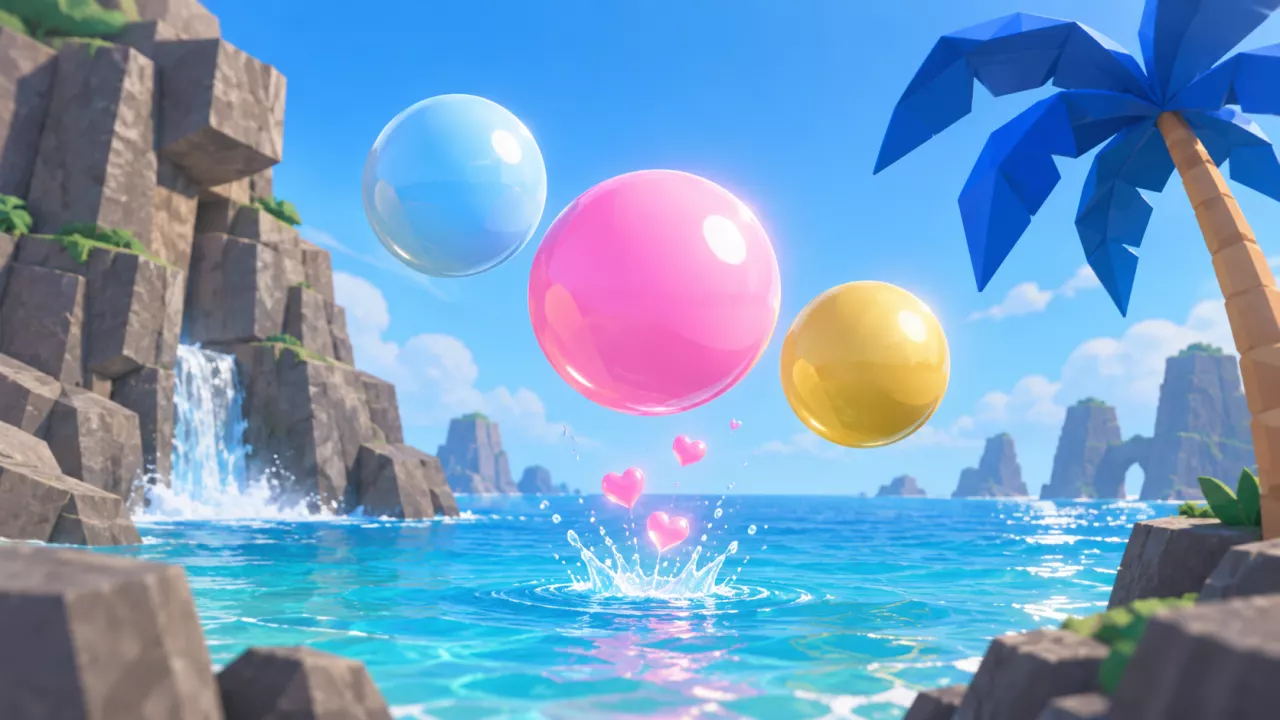
For example, selecting an available Heart wave replaces the previous splash style and produces hearts rising from the water.
To make splashes bigger, use Splash Size in Upgrades. Changing Splash Style selects the effect; Splash Size is a separate attribute upgrade.








Search swim trunks, trails, and splash effects, then check their appearance and acquisition options.
45 objects
| Name | Appearance | Effect | Rarity | Level | Acquisition | Shells price | Robux price |
|---|---|---|---|---|---|---|---|
| Red trunks More details | Classic red swim trunks
| — | — | — | — | — | — |
| Orange swim trunks More details | Bright orange swim trunks
| — | — | — | — | — | — |
| Yellow swim trunks More details | Yellow swim trunks
| — | — | — | — | — | — |
| Sky Trunks More details | Sky-blue swim trunks
| — | — | — | — | — | — |
| Navy swim trunks More details | Dark navy swim trunks
| — | — | — | — | — | — |
| Purple swim trunks More details | Royal purple swim trunks
| — | — | — | — | — | — |
| Pink swim trunks More details | Flamingo-pink swim trunks
| — | — | — | — | — | — |
| Black swim trunks More details | Plain black swim trunks
| — | — | — | — | — | — |
| Heart trunks More details | White swim trunks with red hearts
| — | — | — | — | — | — |
| Palm drinks More details | Turquoise swim trunks with green palm-tree patterns
| — | — | — | — | — | — |
| Polka swim trunks · Polka trunks More details | Navy swim trunks with white polka dots
| — | — | — | — | — | — |
| Racing shorts | Red swim trunks with racing stripes
| — | — | 42 level
(Displayed alongside a Robux purchase option)
| — | — | 99 Robux
(Purchase button)
|
| Flame trunks | Black swim trunks with flames
| — | — | 62 level
(Displayed alongside a Robux purchase option)
| — | — | 149 Robux
(Purchase button)
|
| Hibiscus drinks | Orange swim trunks with tropical flowers
| — | — | 88 level
(Displayed alongside a Robux purchase option)
| — | — | 149 Robux
(Purchase button)
|
| Trunk checkers | Black-and-white checkerboard swim trunks
| — | — | — | ROBUX ONLY
| — | 149 Robux
|
| Camouflage trunks | Jungle camouflage shorts
| — | — | — | ROBUX ONLY
| — | 149 Robux
|
| Gold trunks | Shiny solid-gold swim trunks
| — | — | — | ROBUX ONLY
| — | 249 Robux
|
| Poison drinks More details | Red swim trunks wrapped with a gold ribbon.
| — | — | — | FREE GIFT
(Entry on the Poison drinks item in Skins → Swim trunks)
| — | — |
| Sea Mist More details | Soft white trail like sea spray
| — | — | — | — | — | — |
| Tide More details | Deep sea blue fading into turquoise
| — | — | 24 level
(Displayed alongside a Robux purchase option)
| — | — | 29 Robux
(Purchase button)
|
| MINT | Mint-green trail with a cool glow
| — | — | 32 level
(Displayed alongside a Robux purchase option)
| — | — | 49 Robux
(Purchase button)
|
| Twilight | Sunset orange fading into pink
| — | — | 42 level
(Displayed alongside a Robux purchase option)
| — | — | 99 Robux
(Purchase button)
|
| ARCTIC | Ice white fading into glacier blue
| — | — | — | — | — | — |
| Lava | Molten yellow fading into dark red
| — | — | — | — | — | — |
| Phantom | Ghostly purple shadows
| — | — | — | — | — | — |
| Aurora | Northern lights after each flip
| — | — | — | — | — | 199 Robux
(Robux-only purchase (ROBUX ONLY))
|
| Ember | Burning sparks trailing behind the character
| — | — | — | — | — | 199 Robux
(Robux-only purchase (ROBUX ONLY))
|
| SERAPH GATE | — | Golden wings and a halo rise from the sea.
| MYTHIC
| — | — | — | 999 Robux
|
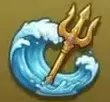
| POSEIDON’S FURY | — | Tides surround a golden trident.
| MYTHIC
| — | — | — | 799 Robux
|
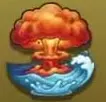
| ATOM BLOOM | — | A mushroom cloud erupts from the water.
| MYTHIC
| — | — | — | 599 Robux
|
| ABYSS HUNTER More details | — | A giant shark leaps from the deep sea.
| LEGENDARY
| — | — | 25000000 Shells
(Alternative to Robux; displayed as 25M)
| 499 Robux
(Alternative to Shells)
|
| ZEUS’ WRATH More details | — | A thundercloud sends lightning onto the sea.
| LEGENDARY
| — | — | 10000000 Shells
(Alternative to Robux; displayed as 10M)
| 399 Robux
(Alternative to Shells)
|
| VOLCANO HEART More details | — | A column of lava erupts from the sea.
| LEGENDARY
| — | — | 5000000 Shells
(Alternative to Robux; displayed as 5M)
| 299 Robux
(Alternative to Shells)
|
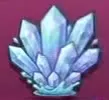
| CRYSTAL BLOOM More details | — | Ice crystals burst from the water.
| LEGENDARY
| — | — | 2500000 Shells
(Alternative to Robux; displayed as 2.5M)
| 199 Robux
(Alternative to Shells)
|
| SKY BRIDGE More details | — | A rainbow spans the splash.
| LEGENDARY
| — | — | 1000000 Shells
(Alternative to Robux; displayed as 1M)
| 149 Robux
(Alternative to Shells)
|
| Sea Spray More details | — | White sea spray
| COMMON
| — | — | — | — |
| Fish Fountain | — | A school of fish leaps out of the water.
| RARE
| 66 level
(Displayed alongside a Robux purchase option)
| — | — | 99 Robux
(Purchase button)
|
| Sugar Splash | — | A burst of candy and sprinkles
| RARE
| 88 level
(Displayed alongside a Robux purchase option)
| — | — | 149 Robux
(Purchase button)
|
| Deep Sea Shock | — | Dark seawater with a violet shockwave
| RARE
| 104 level
(Displayed alongside a Robux purchase option)
| — | — | 149 Robux
(Purchase button)
|
| Geyser Eruption More details | — | A huge column of water erupts upward.
| RARE
| — | — | — | — |
| Heart wave More details | — | Hearts rise from the water.
| RARE
| — | — | — | — |
| Lost treasure | — | A golden splash with flying treasure
| RARE
| 48 level
(Displayed alongside a Robux purchase option)
| — | — | 99 Robux
(Purchase button)
|
| Lagoon Ripple More details | — | Teal splash with a shockwave ring.
| — | — | — | — | — |
| Raindrop Explosion More details | — | Giant raindrops fall onto everyone.
(Visual effect description.)
| — | — | — | — | — |
| Golden Hour | — | Warm, glowing splash with golden sparkles.
| — | 19 level
(Displayed alongside a Robux purchase option.)
| — | — | 29 Robux
(Purchase button in the Splash Style menu.)
|
Red trunks
- Availability
- EQUIPMENT (Available on the demonstrated accounts)
Orange swim trunks
- Availability
- EQUIPPED (At the start of the demonstrated switch to Polka swim trunks and then Palm drinks)
- Availability
- EQUIPMENT (On the other demonstrated account)
Yellow swim trunks
- Availability
- EQUIPMENT (Available on the demonstrated accounts)
Sky Trunks
- Availability
- EQUIPMENT (Available on the demonstrated account)
Navy swim trunks
- Availability
- EQUIPMENT (Available on the demonstrated account)
Purple swim trunks
- Availability
- EQUIPMENT (Available on the demonstrated account)
Pink swim trunks
- Availability
- EQUIPMENT (Available on the demonstrated account)
Black swim trunks
- Availability
- EQUIPMENT (Available on the demonstrated account)
Heart trunks
- Availability
- EQUIPMENT (Available on the demonstrated account)
Palm drinks
- Availability
- Equipped after Polka swim trunks in the demonstrated sequence. (Demonstrated account)
- Shells spent switching
- 0 Shells (Observed switch between already available swim trunks; not an acquisition price)
Polka swim trunks
Polka trunks
- Availability
- Equipped during the demonstration, then replaced by Palm drinks. (Demonstrated account)
- Shells spent switching
- 0 Shells (Observed switch between already available swim trunks; not an acquisition price)
Poison drinks
- Category
- Trunks
Sea Mist
- Availability
- EQUIPPED (Demonstrated account)
Tide
- Availability
- EQUIPMENT (Available on the demonstrated account)
ABYSS HUNTER
- Can be purchased with
- 25000000 × Shells (Alternative to 499 Robux)
ZEUS’ WRATH
- Can be purchased with
- 10000000 × Shells (Alternative to 399 Robux)
VOLCANO HEART
- Can be purchased with
- 5000000 × Shells (Alternative to 299 Robux)
CRYSTAL BLOOM
- Can be purchased with
- 2500000 × Shells (Alternative to 199 Robux)
SKY BRIDGE
- Can be purchased with
- 1000000 × Shells (Alternative to 149 Robux)
Sea Spray
- Availability
- EQUIPMENT (Available on the demonstrated account)
Geyser Eruption
- Availability
- ACTIVE and EQUIPPED before Heart wave is selected; returns to EQUIPMENT afterward. (Demonstrated account)
Heart wave
- Availability
- Changes from EQUIPMENT to ACTIVE and EQUIPPED when selected, replacing Geyser Eruption. (Demonstrated account)
Lagoon Ripple
- Availability
- EQUIPPED (Account-specific menu status; not an initial unlock requirement.)
Raindrop Explosion
- Availability
- EQUIPMENT (Account-specific menu status; not an initial unlock requirement.)