Reach an Available Slide
Slide and Dive is both a world tab and the name of a destination within it. Unlocking the world does not unlock every platform in that tab.
| World or destination | Required level | What it unlocks |
|---|---|---|
| Slide and Dive world | 70 | Access to the slide world |
| Slide and Dive destination | 70 | The platform identified as Cliff 15 |
| The Flume | 160 | The platform identified as Cliff 17 |
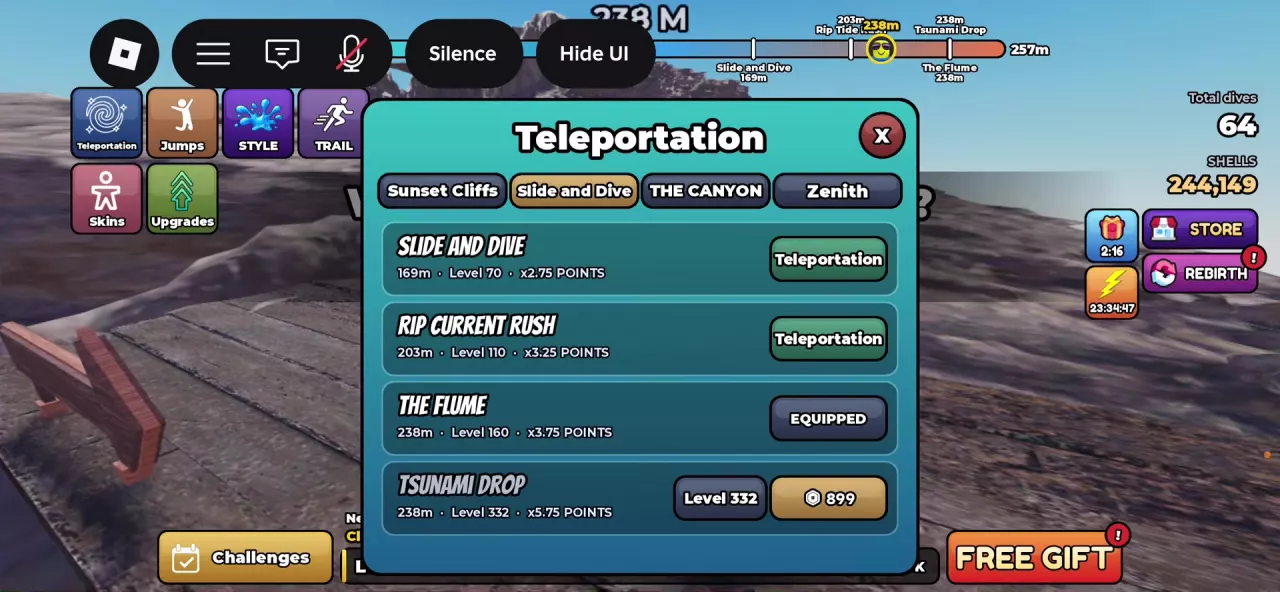
- Open Teleportation from the left-side menu.
- Select the Slide and Dive tab, also labeled SLIDE N DIVE in some menus.
- Find a destination whose level requirement you meet and select its Teleportation button.
- Check that the destination now says EQUIPPED, then close the menu. At The Flume, the HUD identifies your platform as Cliff 17.
Use the Cliffs and Worlds directory to compare other destinations and their requirements.
Steer and Build Carve
- Walk to the platform’s edge and enter the takeoff area. At The Flume, the sign reminds you to land on the slide.
- Choose your takeoff direction: FRONT faces the water; BACK faces the cliff. Watch the jump-power bar and use Jump to launch.
- Land on the slide below. The airborne Twist, FRONT, and BACK controls switch to LEFT and RIGHT.
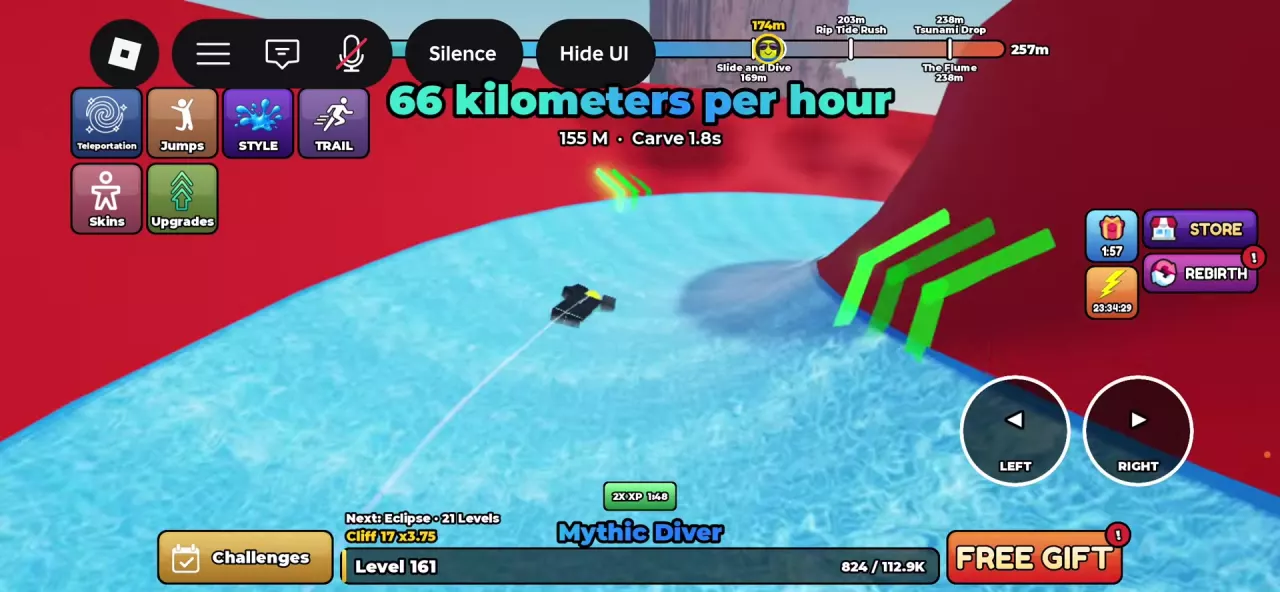
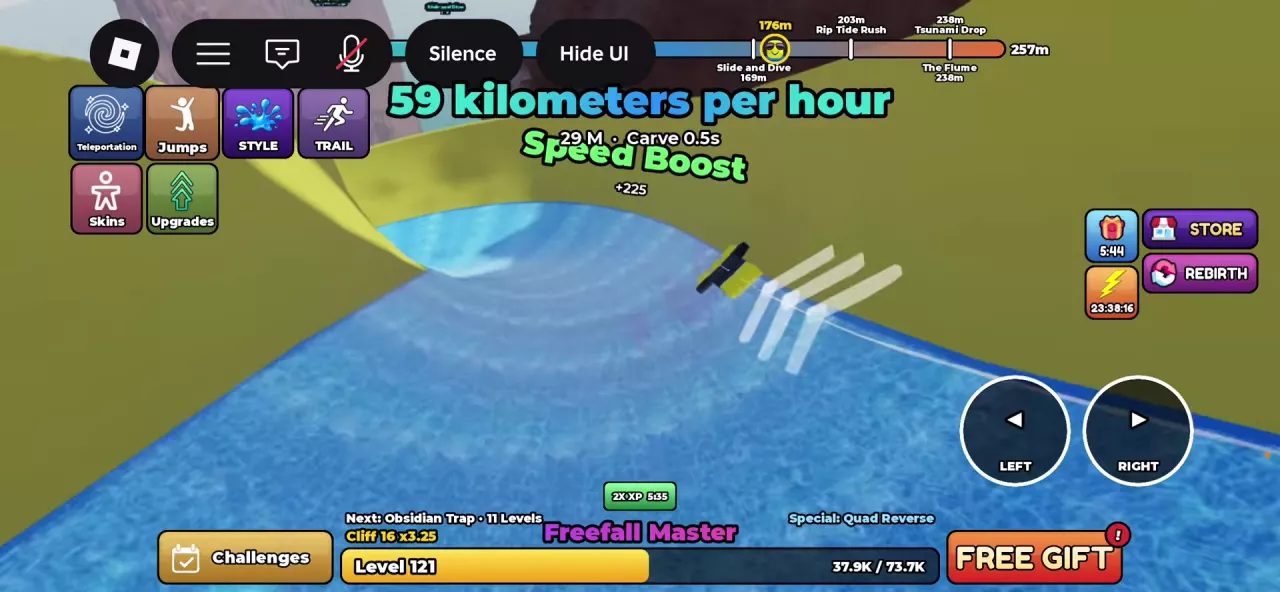
- Use LEFT and RIGHT to move across the slide. Watch for Carve and its timer as you steer, including when moving at an angle toward a side wall.
Carve is a timed slide action that awards points. Its duration can accumulate across separate steering segments during a run. You can adjust left, steer right again, and continue building the displayed duration; the timer can also remain visible after you release steering.
Use the controls to adjust your route through the slide rather than treating the wall as a target to hit. The Carve timer is the useful feedback to watch while practicing your turns.
For more help with takeoff direction and the power bar, see how to dive.
Use Green-Arrow Boosts
Steer toward the green arrow locations along the slide. Passing these locations can trigger a Speed Boost and increase your speed. Keep following the slide toward its exit after crossing a boost location.
Successive boosts can display Speed Boost, 2x Speed Boost, and 3x Speed Boost. Treat these as successive boost feedback, not a reading that your movement speed has doubled or tripled. Check the speed display, measured in kilometers per hour, to see your actual speed.
Carve and boosts provide different feedback: Carve tracks your timed steering action, while Speed Boost identifies acceleration gained along the route. Adjust your steering to pass the arrows as you continue the slide run.
Leave the Slide and Finish the Dive
- Follow the slide to its exit. Once you leave it and become airborne, Twist, FRONT, and BACK return.
- Resume aerial movement with those controls. Twist turns your character, while FRONT and BACK control flips.
- Watch the prompt for your equipped ENTRY move during descent and use it before impact. For moves with a countdown, wait for the move’s actionable prompt. The Entry Moves guide explains the individual cues and successful result names.
- After entering the water, check the result panel for the completed entry and the actions credited to the dive.
A Carve score prompt can appear after you are already airborne. Those points still belong to the preceding slide action; Carve is not an aerial move to perform after the exit.
Slide-dive results can include Speed Boost, sliding, and highest speed, alongside aerial moves and entry and cliff bonuses. A result can list moves such as Backflip, Twist, Screw, or Cartwheel, depending on the actions credited to that dive.
Use higher-score practice for aerial combinations and entry timing, or Scoring to understand the final breakdown.